![MEG high res strap_logo (trans)-1.png]](https://help.megsupporttools.com/hs-fs/hubfs/MEG%20high%20res%20strap_logo%20(trans)-1.png?height=50&name=MEG%20high%20res%20strap_logo%20(trans)-1.png)
- Click the ‘Insert Link’ icon in the text editor
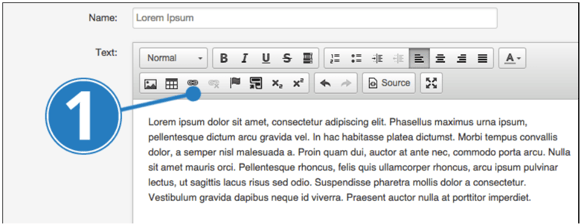
- Enter the URL you want the link to direct to and click ‘OK’
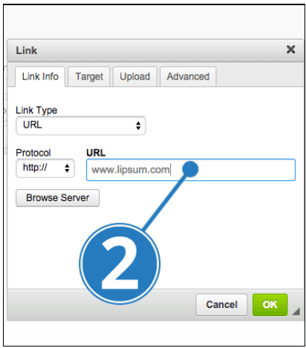
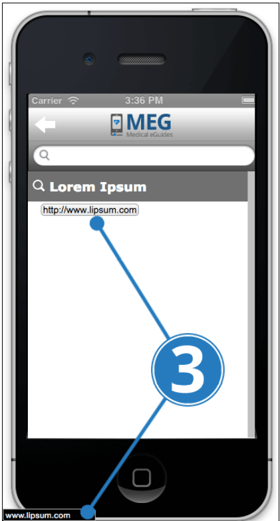
- Preview the app and check the link is working by hovering your mouse over it. If the link’s destination appears while you hover, it has worked.
Video Tutorial