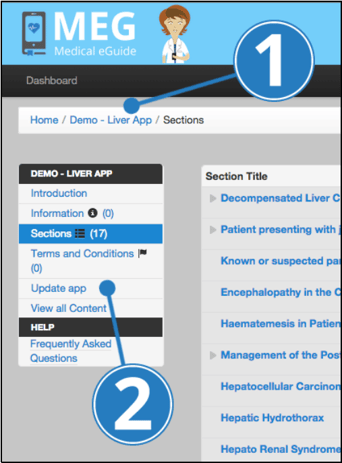
- Ensure you are within the right eGuide (if not click ‘Home’ and select the correct one on the left panel)
- Click ‘Update App’ on the left-hand side
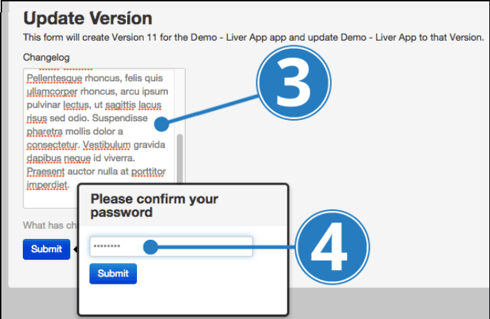
- Add details of changes made since the last version
- Click ‘Submit’ and enter your password when prompted
English
![MEG high res strap_logo (trans)-1.png]](https://help.megsupporttools.com/hs-fs/hubfs/MEG%20high%20res%20strap_logo%20(trans)-1.png?height=50&name=MEG%20high%20res%20strap_logo%20(trans)-1.png)